
OR — Bitwise OR
Description
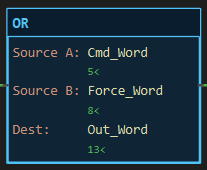
Section titled “Description”OR (Bitwise OR) writes to Dest a word whose every bit is 1 where the same bit is 1 in Source A or in Source B or in both. It is an output instruction with no state and no status bits. Use OR to set bits in a word without disturbing the others, to merge two command words into one output word, or to build a bit pattern from parts. Do not use OR to combine rung conditions; a parallel branch does that. OR works on whole numbers.
Operands
Section titled “Operands”| Operand | Type | Format | Valid Range | Required | Description |
|---|---|---|---|---|---|
| Source A | A whole-number tag, member, element or bit, or a literal | Tag, Tag.Member, Tag[n], Tag.bit, a number |
Any resolvable reference | Yes | The first word. |
| Source B | Same as Source A | Same | Any resolvable reference | Yes | The second word, often the bits to set. |
| Dest | A writable whole-number tag, member or element | Tag, Tag.Member, Tag[n] |
SINT, INT or DINT; not a literal, not an input pin | Yes | Where the result is written. |
A REAL operand is truncated to a whole number first. Dest may be one of the sources, which is how bits are set in place.
Scan Behavior
Section titled “Scan Behavior”Prescan
Section titled “Prescan”Nothing. Dest keeps its power-up value.
Rung-condition-in is false
Section titled “Rung-condition-in is false”The instruction does nothing. Dest holds its last value.
Rung-condition-in is true
Section titled “Rung-condition-in is true”Both sources are read, ORed bit by bit, and the result is written to Dest every scan the rung is true.
Postscan
Section titled “Postscan”Nothing.
Example
Section titled “Example”Scenario: An output module is driven by one word. The sequence writes its command bits and a maintenance screen can force extra outputs on. The two words are merged into the word the module reads.
Tags:
Set_Bits— Merge the words, BOOLCmd_Word— Sequence command bits, INTForce_Word— Maintenance force bits, INTOut_Word— Word sent to the module, INT
Rung 1:
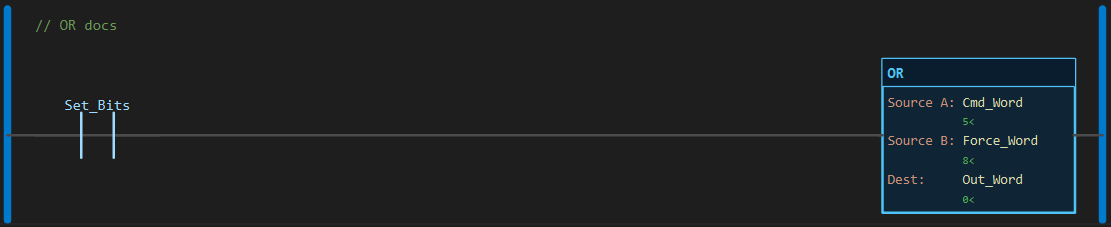
—] [Set_Bits———[OR Cmd_Word Force_Word Out_Word]———Scan 1 — Set_Bits = 0. Cmd_Word reads 5 and Force_Word reads 8. The rung is false: Out_Word holds 0.
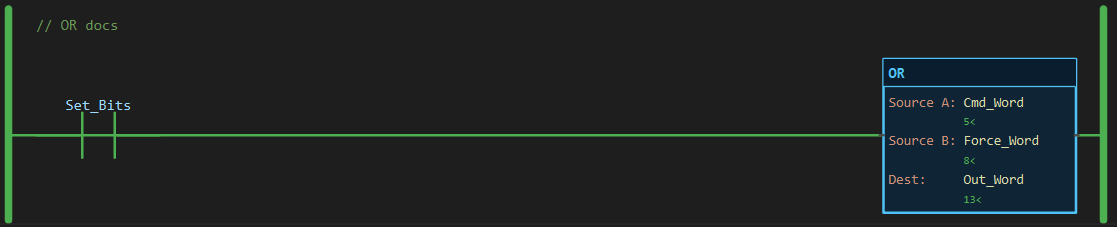
Scan 2 — Set_Bits = 1. Out_Word reads 13.
Binary Result
Section titled “Binary Result”OR — Cmd_Word OR Force_Word, INT (16 bits)
15 14 13 12 11 10 9 8 7 6 5 4 3 2 1 0Cmd_Word 5 0 0 0 0 0 0 0 0 0 0 0 0 0 1 0 1Force_Word 8 0 0 0 0 0 0 0 0 0 0 0 0 1 0 0 0Out_Word 13 0 0 0 0 0 0 0 0 0 0 0 0 1 1 0 1 ^ ^ ^ set where either is 1A bit set in both sources is still one bit in the result; OR never carries.
See Also
Section titled “See Also”- AND — Bitwise AND (keep or clear bits)
- XOR — Bitwise XOR (toggle bits)
- NOT — Bitwise NOT
- OTL — Output Latch (set a single bit and keep it)
- Move/Logical Instructions — Category index
Set in place. OR Word 0x0004 Word sets bit 2 and leaves the rest. Gating is unnecessary; setting an already-set bit changes nothing.
Not addition. 5 OR 8 is 13 and so is 5 + 8, but 5 OR 4 is 5 while 5 + 4 is 9. Use ADD for arithmetic.
The block never colours. Watch the rung wire and the Dest value line.
Applies to LadderIDE >=1.2.2 · Last reviewed 2026-09-11 · Screenshots verified 2026-09-11